CLIENT

Tencent
Tencent
Tencent

ROLE

UX Design Intern
UX Design Intern
UX Design Intern

DATE

May - Sept 2025
May - Sept 2025
May - Sept 2025

SKILLS

UX Design, Design System

Challenge

QQ is a social platform with 600M+ monthly active users and over 25 years of history.
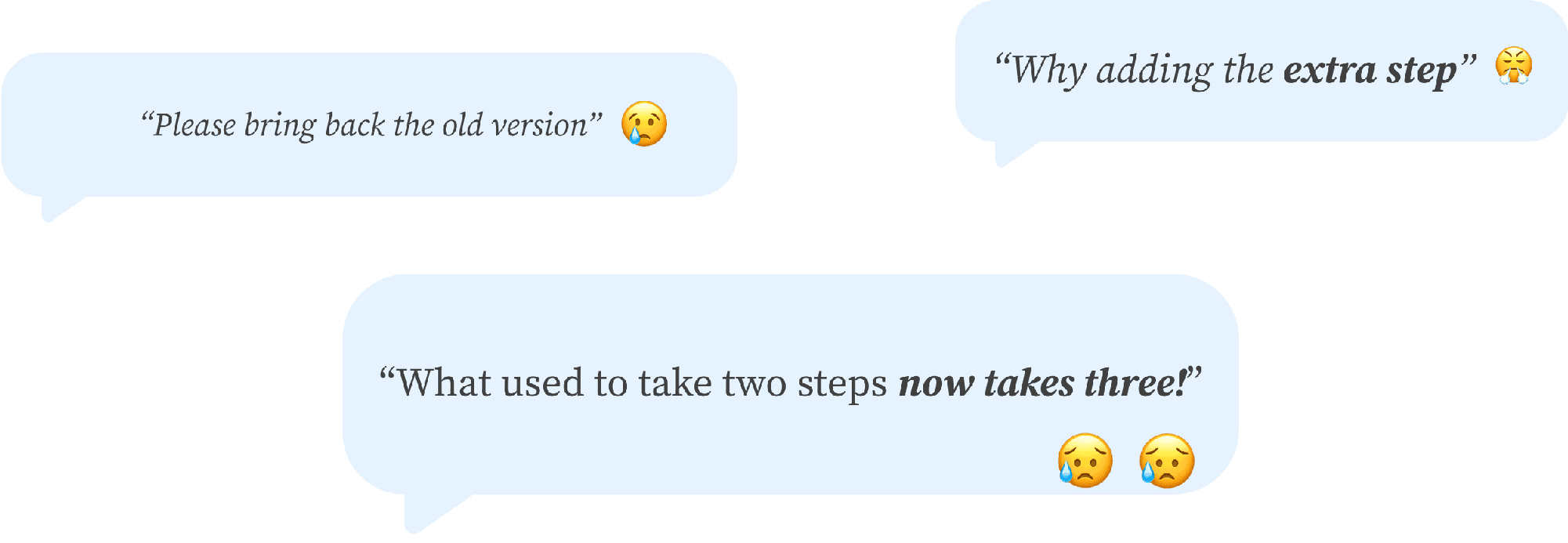
As part of a redesign, QQ introduced a unified panel system in Qzone with a new UI and added features. However, the new sharing flow frustrated long-time users by adding extra steps. This raised a key challenge: how can a mature product evolve without hurting usability and user habits?

What I Did

During my 3 month UX internship at Tencent PCG, I worked on improving sharing efficiency and message management in Qzone. My focus was on balancing platform unification and new feature updates while preserving the speed, clarity, and familiarity that existing users value.

+33%

Sharing Efficiency

25%

Increase in Tasks Completion

40%

Faster Message Tasks

No headings found on page

01

Smarter and Faster Sharing

Problem

Problem

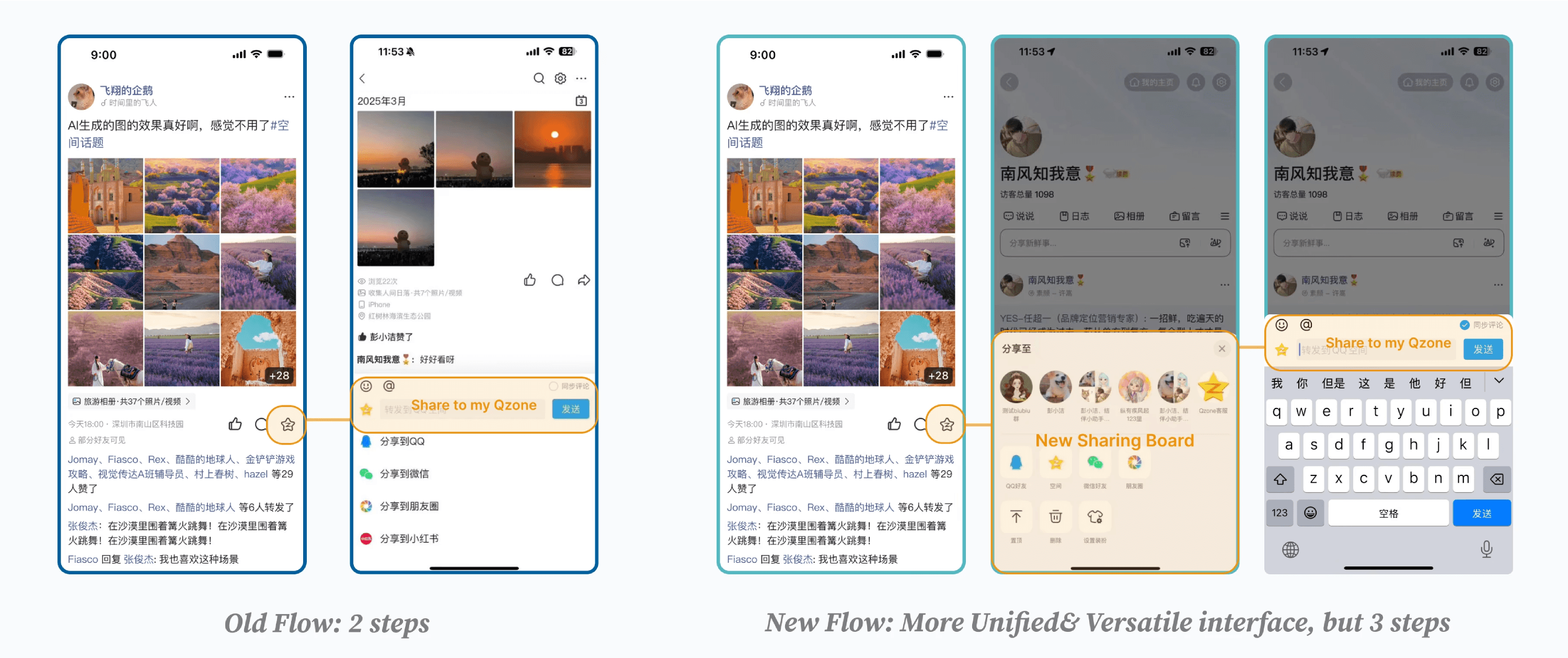
Qzone updated it's sharing experience with a modern interface and added functions. However, the update increased the number of steps required to share…
Research

Research


Key Design
Decisions

Key Design
Decisions

Solution

Solution

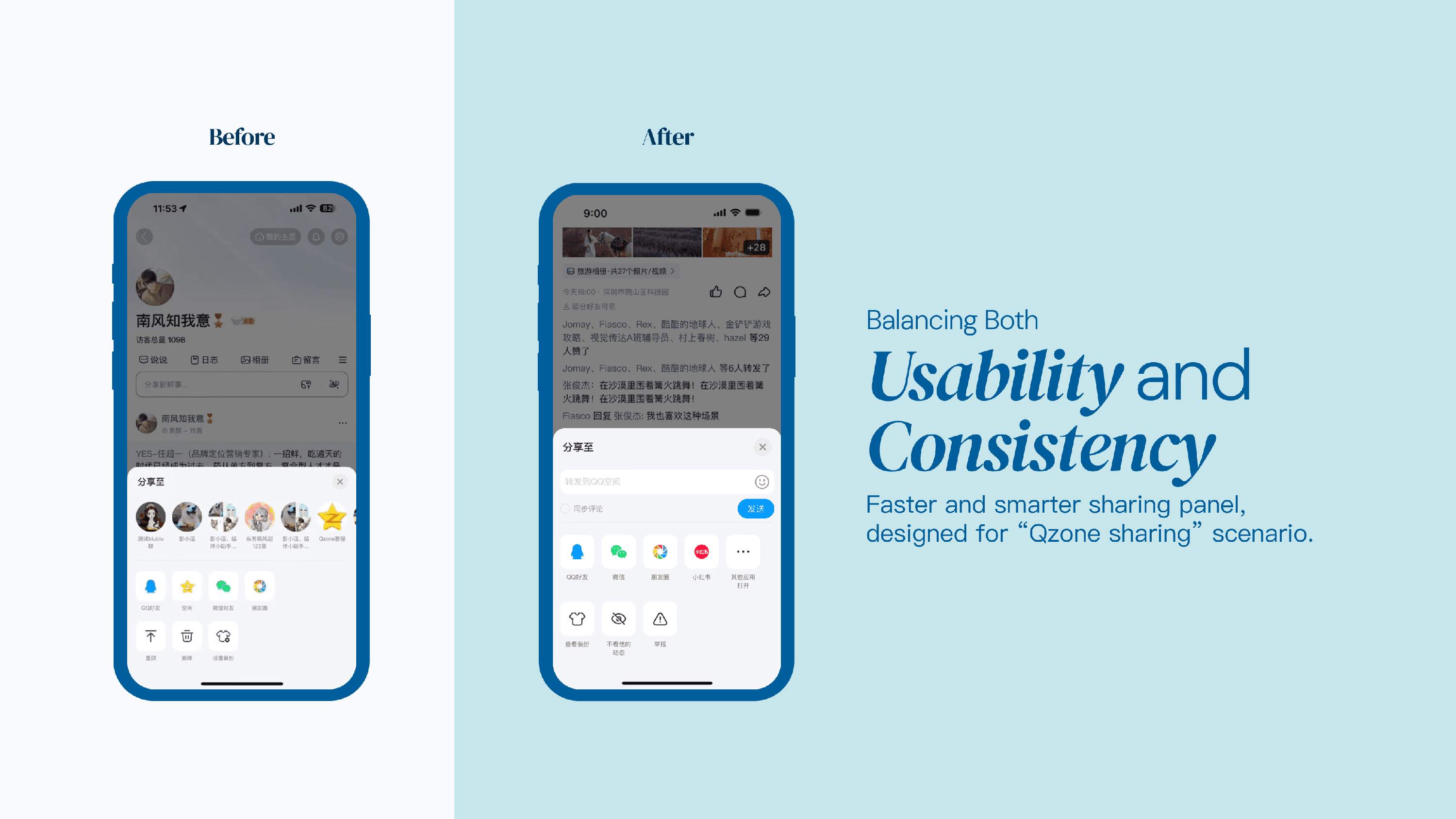
We kept the quick-share step users liked and refined the panel layout for smoother use. The new design highlights the “Share to Qzone” option, making sharing faster and better suited to Qzone’s needs..

Before & After
Before & After

02

Filtered Message Hub

Problem

Problem

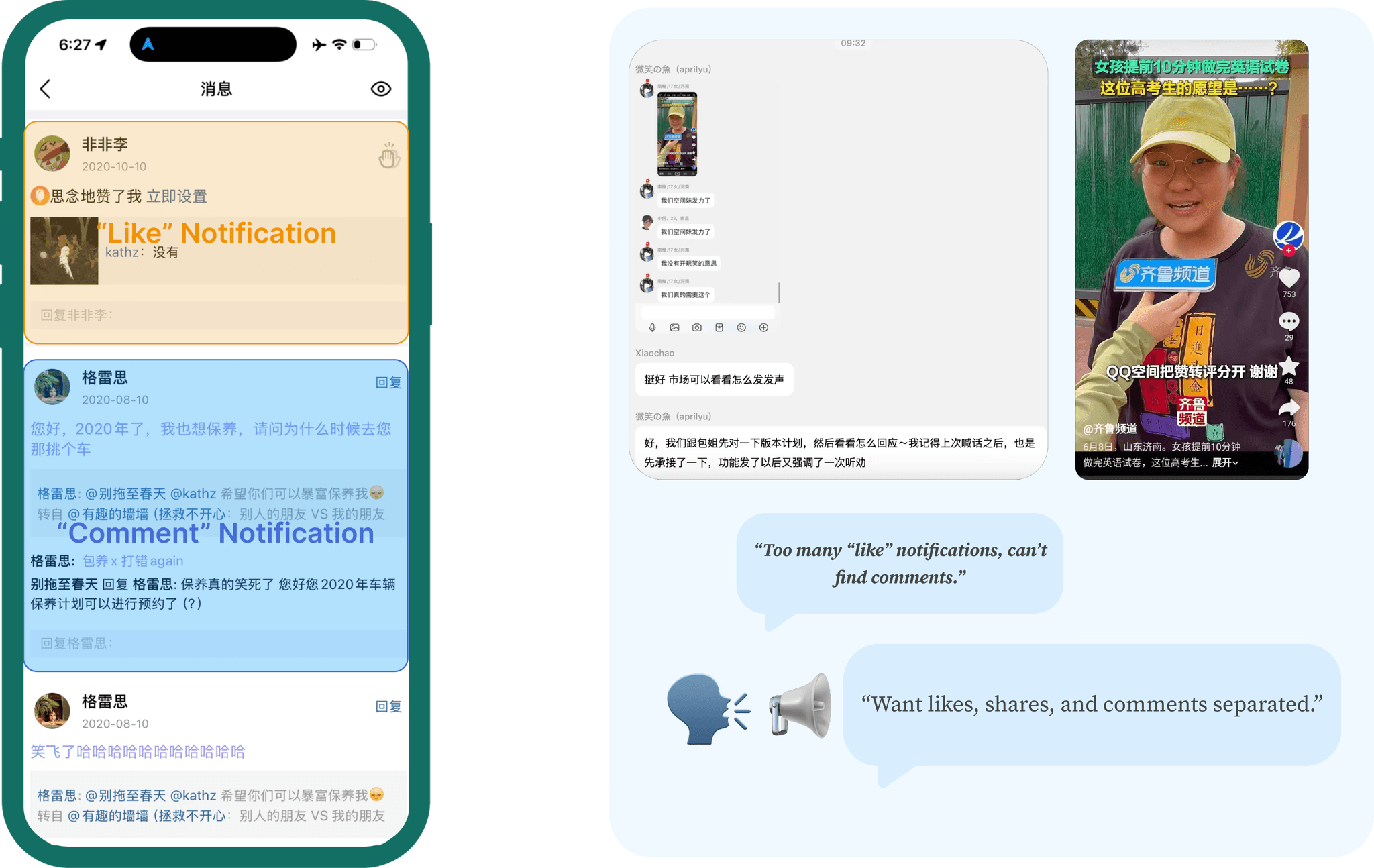
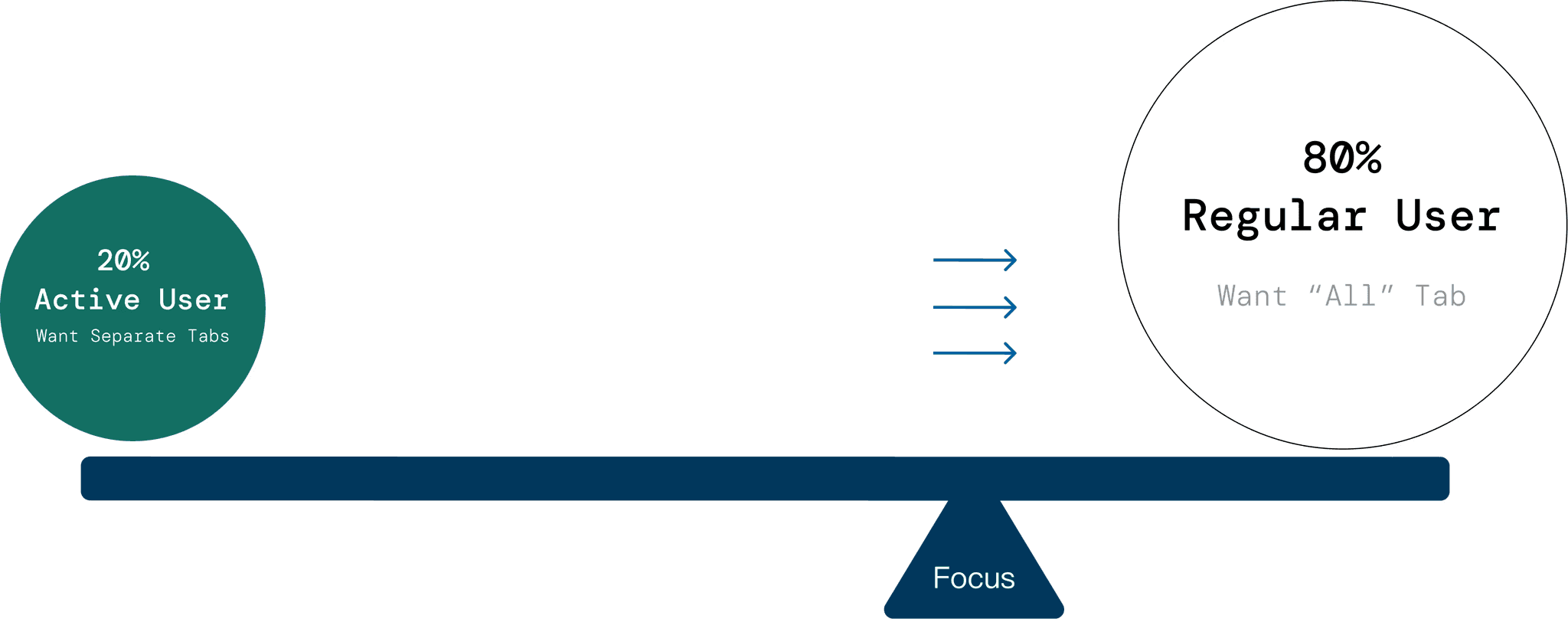
Highly active users, especially the younger generation (ages 15–22), wanted a faster and more flexible way to manage their notifications. Many hoped QQ could separate likes, shares, and comments into different tabs, so they could find important updates more easily.

Qzone updated it's sharing experience with a modern interface and added functions. However, the update increased the number of steps required to share…
Research

Research

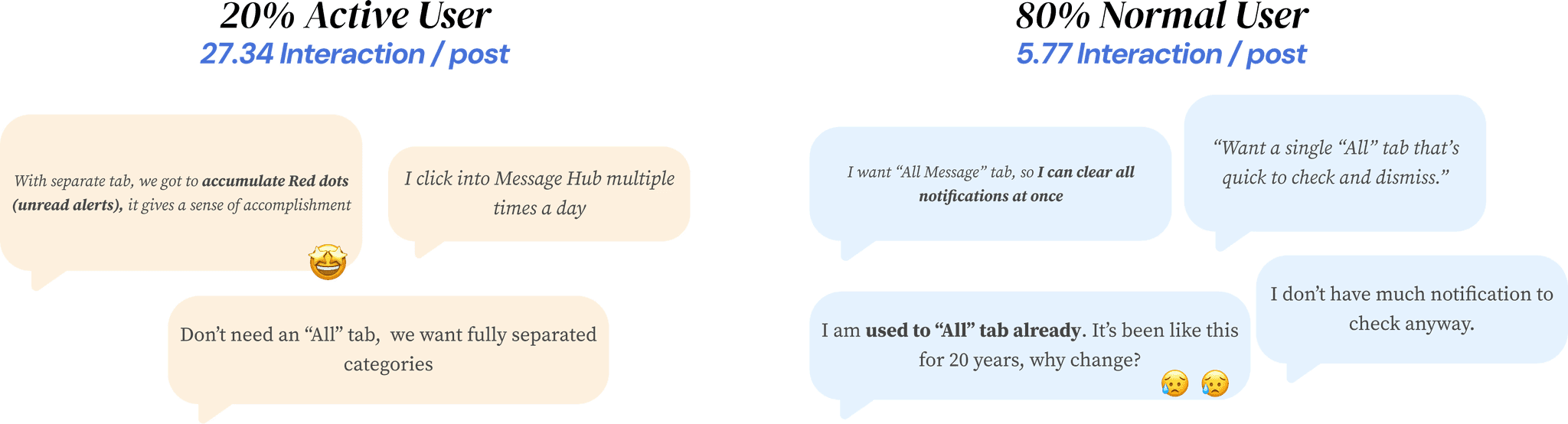
Normal user want "All" tab for efficiency, but Active user want separate tabs to keep "Red dots" (unread notification) for recognition.

The needs of these Highly Active user group conflicted with Regular user group. Highly active users wanted more control while regular users wanted simplicity and speed. This wasn’t just a UI issue, it was a system problem about setting priorities. Should we design for complexity or clarity?

Key Design
Decisions

Key Design
Decisions

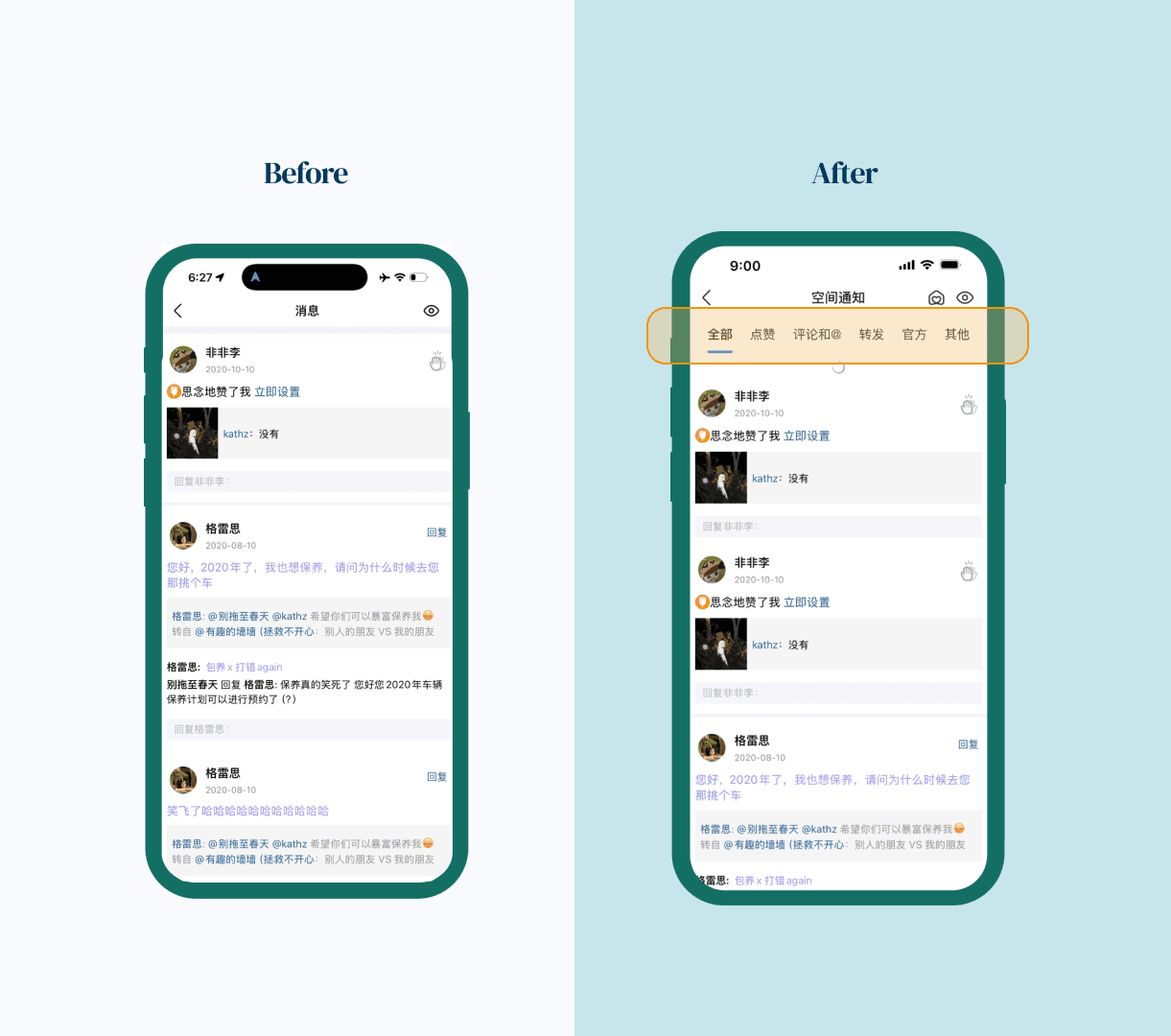
After analyzing behavior patterns and feedback, we made a strategic trade-off to prioritize the core experience for most users

Solution

Solution

  • Keep the “All Messages” view for simplicity and faster clearing.

  • Delay adding unread badges to each category to avoid clutter and confusion.

  • Focus on the core experience for the majority, make it quick and easy to understand.

We kept the quick-share step users liked and refined the panel layout for smoother use. The new design highlights the “Share to Qzone” option, making sharing faster and better suited to Qzone’s needs..
Before & After
Before & After

Takeaway

Takeaway

Sometimes, good design isn’t about giving everyone everything. It’s about knowing what to let go of so that most people can move smoothly through their day.

Trade-offs are inevitable, especially when designing for millions. There will always be tension between different voices. The key is to find the balance, to step back, look at the bigger picture, and design for clarity, not perfection.

Let’s
Get In Touch

SIYUKATH

©

SIYU ZHONG

2025

Let’s
Get In Touch

SIYUKATH

©

SIYU ZHONG

2025

Let’s
Get In Touch

SIYUKATH

©

SIYU ZHONG

2025

Let’s
Get In Touch

©

SIYU ZHONG

2025